


Good Food: Recipe Finder
3.775.00 Reviews
App Specs
- Version
- 487.3.0
- Updated On
- License
- Free
- Downloads
- 1,000,000+
- Developer
- Immediate Media Co
- Categories
- News & Magazines
- Platform
- Android, iOS
Screenshots
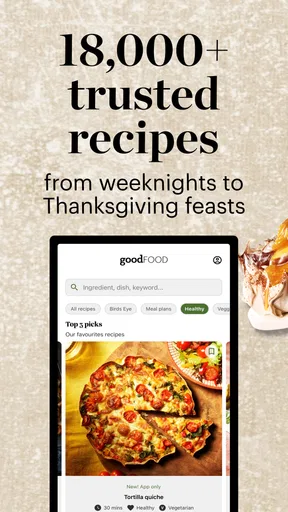
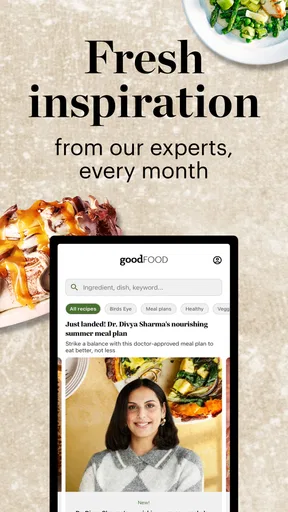
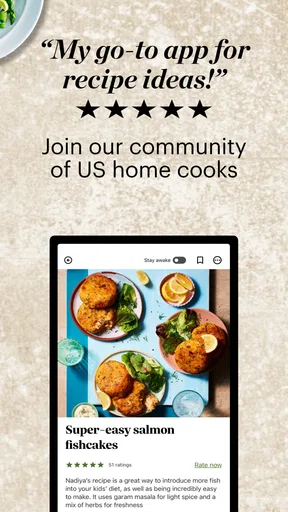
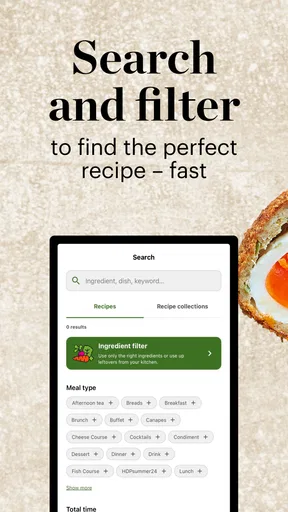
 Analysis by AppCompare
When I plan dinner around whatever is already in the fridge, I want recipe ideas that are easy to find and practical to follow, not another long search through unrelated results. Good Food: Recipe Finder is aimed at that sort of everyday cooking: it helps turn ingredients on hand into ideas for a meal, with instructions that can guide me from choosing a dish to getting it on the table. Its usefulness depends partly on being able to reach the recipes when I need them, so the quality of the experience is tied to connectivity as well as to what I want to cook.
Finding an idea when the fridge is the starting point
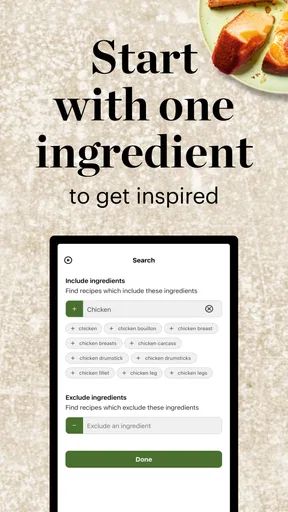
The ingredient-led approach is the most useful place to begin if I have food that needs using and no clear plan. Rather than deciding on a dish first and then checking whether I have everything, I can look for recipes around what is already available. That makes the app especially suited to the small, familiar dilemma of a half-used vegetable, a can in the cupboard, and not much inspiration. I would still check the recipe carefully before committing: a suggested match does not necessarily mean every ingredient or kitchen staple is covered.
That workflow is most valuable before I start cooking, while I can still compare a few possibilities and decide whether a missing item is worth buying. If I wait until I am already halfway through dinner, a recipe search can become frustrating if the connection is weak or a page takes time to load. I find it sensible to choose the recipe, review its ingredients and read the first steps before I begin chopping. It is a small habit, but it avoids discovering a crucial instruction only after my hands are messy.
What the app is like in a busy kitchen
The search and ingredient-selection tools give me two different ways into the recipe collection. If I know what I want to make, searching is the direct route; if I only know what I need to use, choosing ingredients is a better prompt. That distinction matters when I am tired or short on time. I do not have to invent a clever search phrase just to get started, though the final choice still takes a little judgement: the best-looking match may not suit the time I have, the equipment in my kitchen, or the appetites at the table.
A realistic use for me would be checking the app on the way home, deciding which of the ingredients I already have can anchor dinner, then making a quick stop for one or two extras if the recipe calls for them. At home, I would open the directions before heating a pan and make sure the steps feel manageable. That is a better fit than treating recipe discovery as a live, hands-free cooking assistant. The app can help me settle on a plan, but I still need to do the practical work of checking quantities, preparing ingredients and keeping an eye on the food.
Where it fits among recipe options
Compared with a general web search, an ingredient-first recipe app can feel more focused: I can start with the contents of my pantry instead of sorting through pages that may only loosely match what I have. Compared with a printed cookbook, it offers a more flexible way to look for ideas, especially when I want to vary the starting point from one meal to the next. The trade-off is that a printed recipe is ready on the counter without relying on a network connection, while a digital collection can be easier to search but less dependable in a dead zone.
I would choose this app when I want guided inspiration and a structured recipe to follow, especially if I am trying to use up ingredients rather than repeat the same familiar dishes. I would skip it as my only kitchen reference if I often cook somewhere with unreliable internet, or if I prefer a fully self-directed approach built around recipes I have already saved elsewhere. It is also not a substitute for personal dietary judgement: ingredient suggestions and nutrition information can help with planning, but I would read the details myself rather than assume a recipe automatically fits a particular health need.
Worth Reading Before You Choose

Flipboard Shows What News Apps Must Do Beyond the Feed

Switching to Android Auto Means Rethinking Your Driving Routine

Google Calendar Makes a Crowded Week Easier to Manage

Ludo King Makes the Most of the Minutes Between Plans

Baby Panda World Brings Quick Play to Modern Phones, but Its Game Library Feels Busy

ESPN’s Live Game View Makes Following Close Games Easier
Unleashing the Power of Your Pantry
One of the coolest features of Good Food: Recipe Finder is how it helps you make the most out of what you already have. Simply input the ingredients you have on hand, and voilà, the app churns out a list of recipes that you can make right then and there. It’s like having a personal sous-chef in your pocket. No more last-minute grocery runs or wondering what to do with that lone can of chickpeas.
The app's interface is super user-friendly. You start by selecting ingredients from a well-organized list or use the search bar if you’re feeling a bit lazy. It’s intuitive and quick, making the whole process feel like a breeze. Plus, with a diverse range of cuisines, you'll find everything from spicy Thai curries to comforting Italian pastas.
Recipe Suggestions with a Twist
Now, let’s talk about the recipe suggestions. They’re not just your run-of-the-mill ideas. The app offers unique twists on classics and some creative concoctions you might never have thought of. Each recipe comes with detailed instructions and nutritional information, making it easier to plan meals that fit your dietary needs.
What’s more, the app allows you to adjust the servings. So, whether you’re cooking for one or prepping for a party, it’s got you covered. The step-by-step instructions are clear and concise, perfect for both novice cooks and seasoned chefs.
Cooking with a connection in mind
In practice, I would use the serving adjustment before I shop or start cooking, not after I have already measured everything out. Scaling a recipe changes the amounts, but it does not make every real-world constraint disappear: pan size, oven space and the time needed to prepare ingredients still matter. If I am cooking for one, I would also consider whether the resulting portions make useful leftovers. That makes the adjustment tool a planning aid rather than a guarantee that every recipe will fit the exact shape of my evening.
The app is free to download, while in-app purchases range from $4.49 to $27.99 per item. I would first try the free experience and see whether its recipes suit my habits before spending anything. That is particularly sensible if I mainly want occasional inspiration rather than a regular cooking companion. The app is for everyone, and it is published by Immediate Media Co; its current version is 487.3.0, with Android support beginning at version 8.0. Those details make it straightforward to check whether it is a fit for my device, but they do not change the practical question: will I use it often enough to justify any optional purchase?
Cook Like a Pro
One feature I absolutely love is the cooking tips section. It’s packed with handy advice on everything from knife skills to flavor balancing. This section is a treasure trove for anyone looking to up their cooking game. Plus, there are video tutorials that are a lifesaver when you’re trying to master a tricky technique.
The app also keeps track of your favorite recipes, so you can easily revisit the dishes you loved. And if you’re feeling adventurous, there’s a trending recipes section that highlights what’s popular among fellow users. It’s a great way to discover new dishes and expand your culinary repertoire.
Making discovery useful, not distracting
For me, favorites are most useful when I treat them as a short list of dependable choices rather than a place to save every recipe that catches my eye. I would keep recipes there that match my available equipment, usual ingredients or weeknight schedule. That turns browsing into a quicker decision the next time I am hungry and short on ideas. Trending dishes can be fun when I want something different, but popularity alone is not a reason to choose a recipe; I would still check its ingredients, preparation steps and likely effort.
The cooking tips and video tutorials are better suited to moments when I can pause and look at the screen than to a rushed dinner with several pans going. If a technique is unfamiliar, watching first can help me understand what a written instruction means before I start. With video in particular, a connection can affect whether it is convenient to use right then. I would open the relevant guidance before handling food, rather than count on being able to load it instantly in the middle of a task.
Community and Sharing
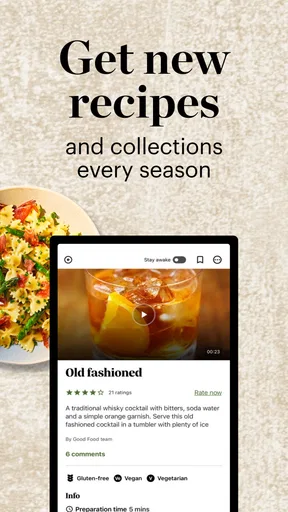
Another aspect that makes Good Food: Recipe Finder stand out is its community features. You can share your own recipes, rate others, and leave comments. It’s like a social media hub for food enthusiasts. Engaging with other users is a fun way to get inspired and learn from other home cooks around the world.
Sharing your culinary creations with friends is also a breeze. The app allows you to send recipes directly via email or social media. So, when you’ve nailed that perfect soufflé, you can easily let the world know.
When the network gets in the way
Because browsing recipes depends on an internet connection, I would not assume that a recipe page, tutorial or community discussion will be available just because I opened it earlier. If my kitchen has patchy Wi-Fi, I would do the browsing and decision-making somewhere with a stronger connection, then keep the chosen recipe accessible on screen before I begin. If a page or video stalls, the most useful recovery is to avoid repeatedly tapping through different sections while cooking: wait for the connection to return, then reopen the item I need. For a meal that cannot wait, a printed recipe or a trusted note of the essential steps is a more reliable backup.
There is a data-conscious trade-off too. Text-based recipe browsing is generally a lighter activity than repeatedly loading video, so I would save tutorial watching for Wi-Fi when mobile data matters to me. I would also avoid assuming that the app can preserve anything for offline use; the safer approach is to plan around the connection I actually have. This is not a reason to avoid the app, but it does shape when I would use its richer, media-based guidance.
A Few Considerations
While the app is a fantastic resource, it does require an internet connection to browse recipes, which might be a downside if your kitchen is a Wi-Fi dead zone. Additionally, the free version contains ads, but they’re not too intrusive and can be removed with a premium upgrade.
Its scale is appealing if I want a broad source of cooking inspiration: it has over a million installs and an average rating of 3.7 from around 8,200 ratings, alongside 75 written reviews. I would treat that as context rather than a promise that every recipe will suit my taste. A large audience can make a recipe collection feel lively, but my own needs—clear instructions, ingredients I can find and a connection that works where I cook—are what determine whether it earns a regular place on my phone. It first appeared on October 24, 2017, and its Everyone content rating makes it suitable for a broad audience.
Overall, Good Food: Recipe Finder is a delightful app that brings a world of culinary possibilities to your fingertips. It’s like having a cookbook, a shopping list, and a cooking class all rolled into one. Whether you’re a seasoned home chef or just starting out, this app is sure to spice up your kitchen adventures. So go ahead, give it a whirl and let your inner chef shine!
My connectivity verdict
I see this as a useful recipe companion when I have a working connection and want help turning ingredients into a realistic meal, rather than as a dependable offline cookbook. Its strongest use is the planning moment: explore, compare, adjust servings, and choose a dish before the kitchen gets busy. If I know I will be cooking somewhere with unreliable service, I would prepare a backup instead of expecting every part of the experience to load on demand. For connected kitchens and curious home cooks, that is a manageable limitation; for people who need recipes available regardless of signal, a local cookbook or saved personal collection is the better choice.
Pros
- Extensive recipe variety available.
- User-friendly interface with easy navigation.
- Personalized meal suggestions.
- Offline access to saved recipes.
- Nutritional information for each dish.
Cons
- Limited customization of dietary preferences.
- Some features require in-app purchases.
- Occasional ads may disrupt experience.
- No integration with grocery delivery services.
- Requires account creation for full access.
FAQs for Good Food: Recipe Finder
What is Good Food: Recipe Finder and how does it work?
Good Food: Recipe Finder is a versatile app designed to help users discover a wide variety of recipes based on their preferences. By inputting available ingredients or selecting dietary restrictions, the app generates tailored recipe suggestions. It also provides step-by-step instructions, cooking tips, and nutritional information to enhance the user’s cooking experience.
Is Good Food: Recipe Finder free to use, or does it have in-app purchases?
The app is free to download and offers a range of recipes at no cost. However, it includes optional in-app purchases for premium features such as advanced recipe filters, exclusive recipes, and ad removal. Users can choose to enhance their experience by subscribing to these additional services.
Can I use Good Food: Recipe Finder offline?
Good Food: Recipe Finder requires an internet connection to access the full range of recipes and features. However, users can save their favorite recipes for offline access, ensuring they have guidance even without connectivity. This feature is particularly handy when cooking in areas with limited internet availability.
Does the app cater to specific dietary needs or preferences?
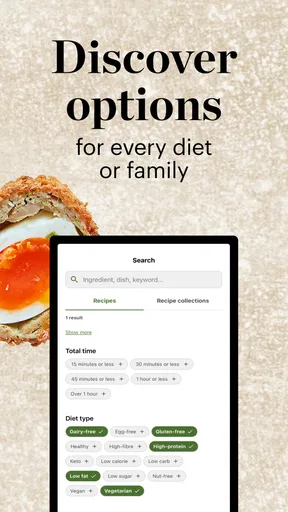
Yes, Good Food: Recipe Finder includes extensive filters to cater to various dietary needs and preferences, such as vegan, gluten-free, keto, and more. Users can set these preferences in their profile, ensuring that all suggested recipes align with their dietary requirements and lifestyle choices.
How does Good Food: Recipe Finder ensure the accuracy of its recipes?
The app collaborates with professional chefs and culinary experts to curate its recipe database. Each recipe is carefully tested for accuracy and clarity, ensuring users receive reliable guidance. Additionally, the app encourages user feedback and ratings to continually refine and improve its recipe offerings.


